Moonfleet
mobile app
UX
UI
In a parallel future, lunar settlements rely on Hexabots—autonomous robots that mine, farm, and explore to sustain life. Managing many bots in harsh lunar conditions demands clarity and instant feedback. Pioneers must assign multi-step tasks, track missions in real time, and operate hands-free with voice control, since gloves and low gravity make touch input difficult.
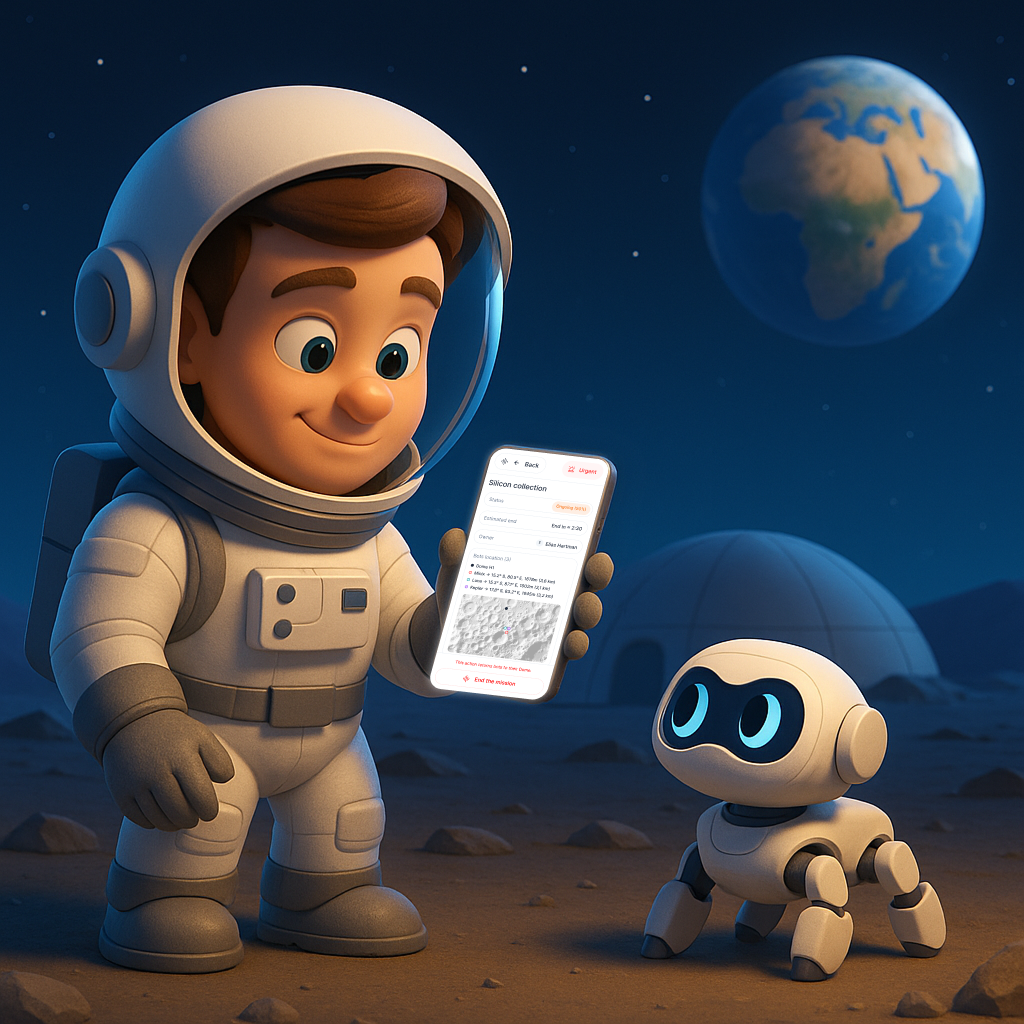
My mission
Design a mobile app that lets lunar pioneers manage Hexabots—assign tasks, track missions, and get key updates via taps or voice commands. Created for the Designflow 2025 challenge by Bending Spoons in 3 days.
Solution
A simple voice-driven interface to interact with Hexabots: check their status, manage tasks instantly, and receive spoken alerts.
Scenario
Moon explorer
E
Elias Hartman
Mission
Manage hexabots missions and maintenance
0
Voice onboarding
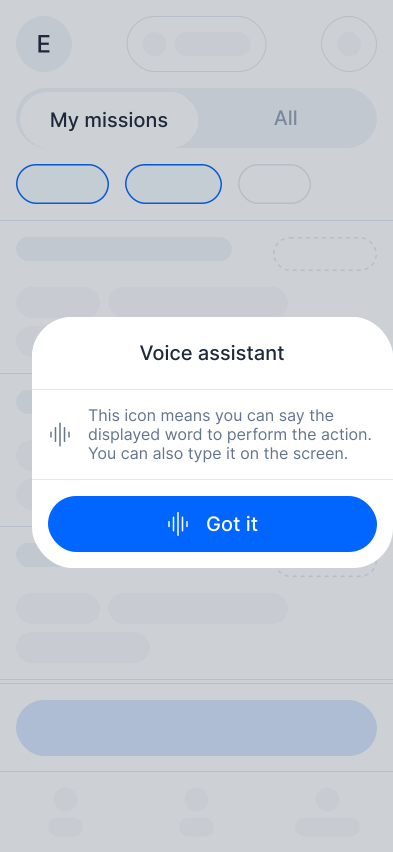
Elias opens the app to view the “Silicon Collection” mission. As soon as he arrives, a tip pops up suggesting he use voice commands to navigate more easily.
1
Missions status check
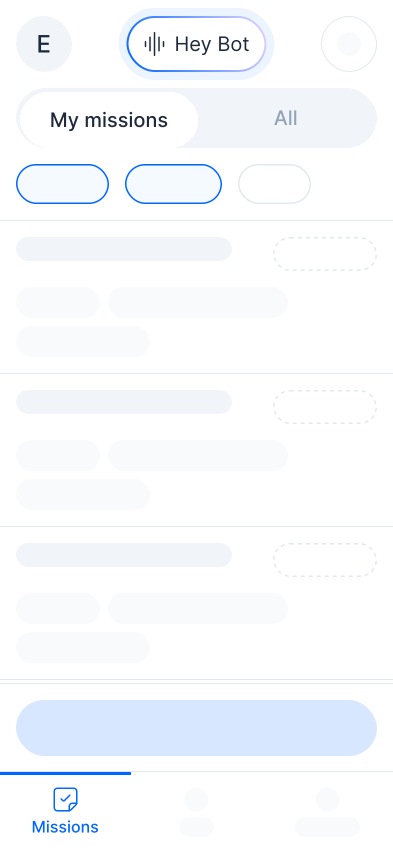
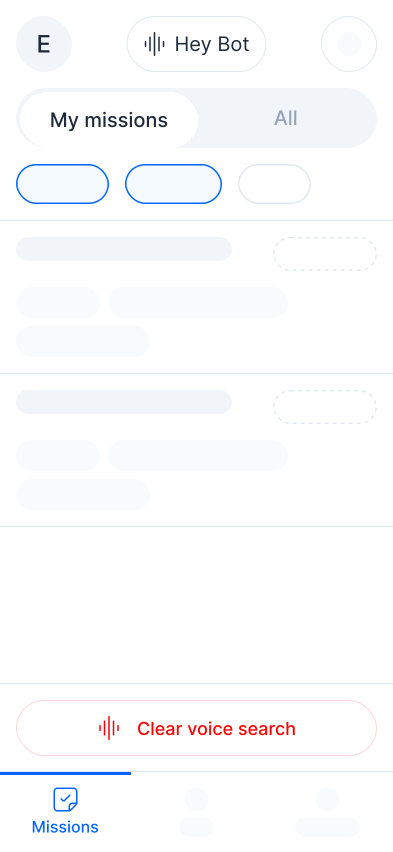
He checks the mission status and activates the voice assistant by saying “Hey Bot.”
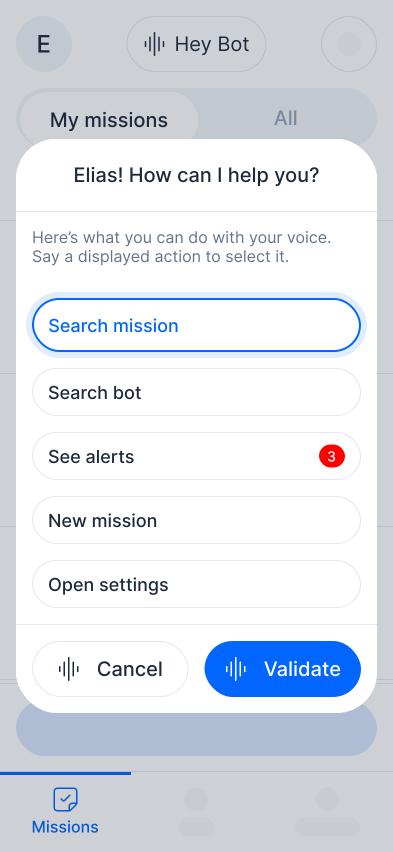
The voice assistant activates. Elias says “Search mission” to choose the action, then “Validate” to confirm it.
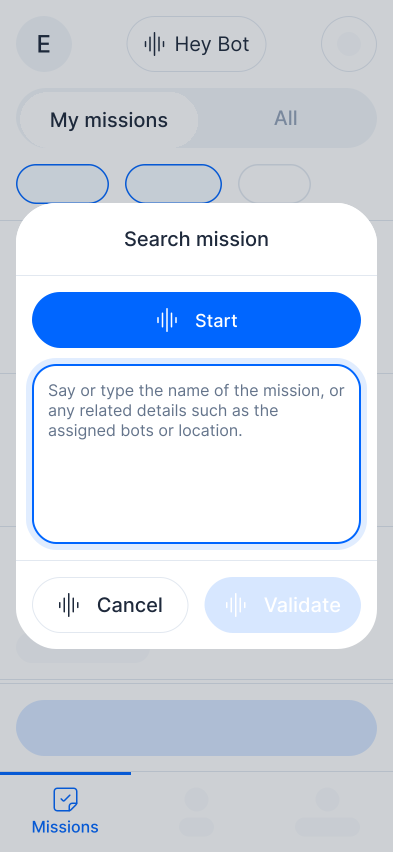
He can now say “Start” and describe mission details like name, bots, or location. Saying “Validate” shows the related missions.
Elias picks his mission from the two options. If needed, he can clear the search and start over.
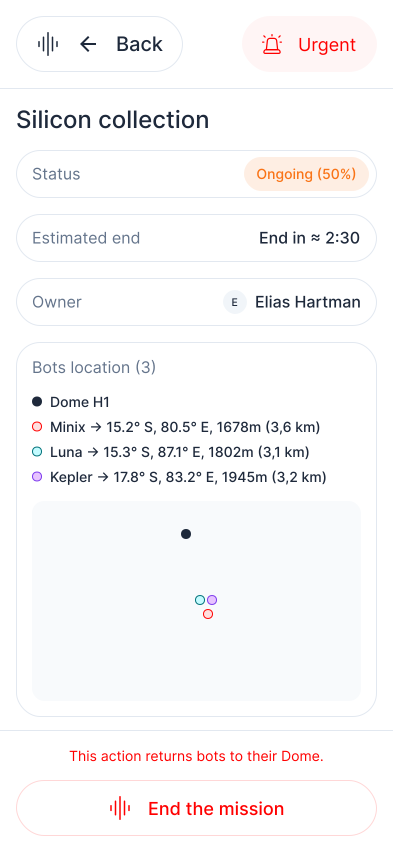
After selecting the mission, Elias checks its status: progress, estimated completion time, and assigned bots. He can also end the mission early if needed.
2
Bots status check
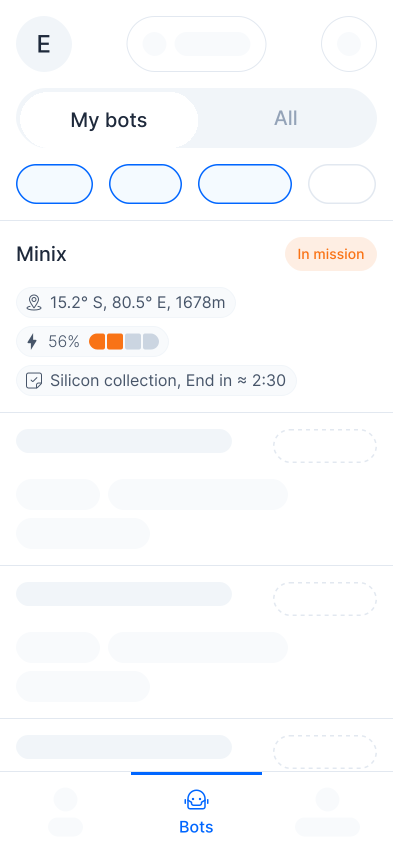
With the mission on track, Elias checks bot status in the “My Bots” view. As the mission owner, he sees the three bots assigned to it.
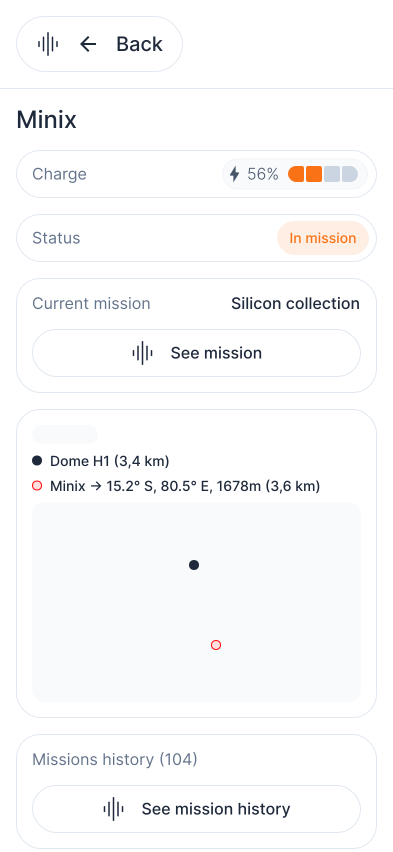
By tapping on a bot, Elias can view the bot’s location, distance to their dome, current mission, and remaining charge.
3
Updates
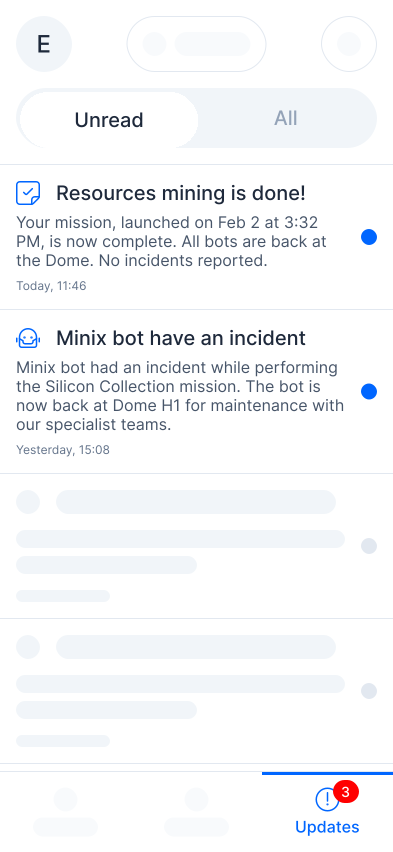
Elias receives updates about his missions and bots, like mission completion or bot incidents.
4
Settings
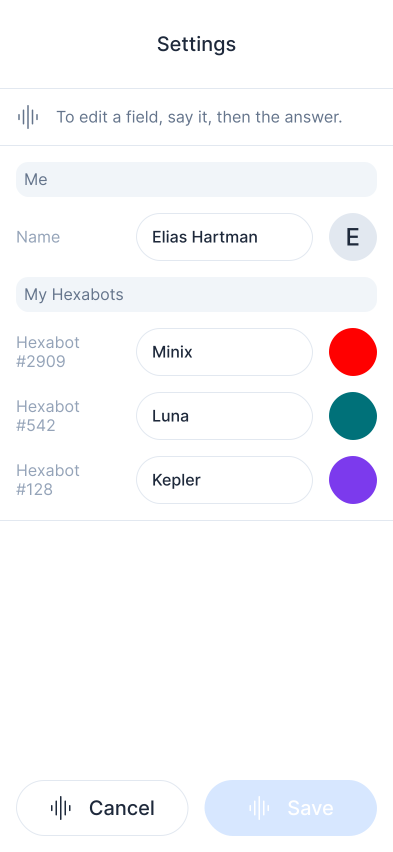
Elias gets alerts about mission completions and bot issues.
5
New mission
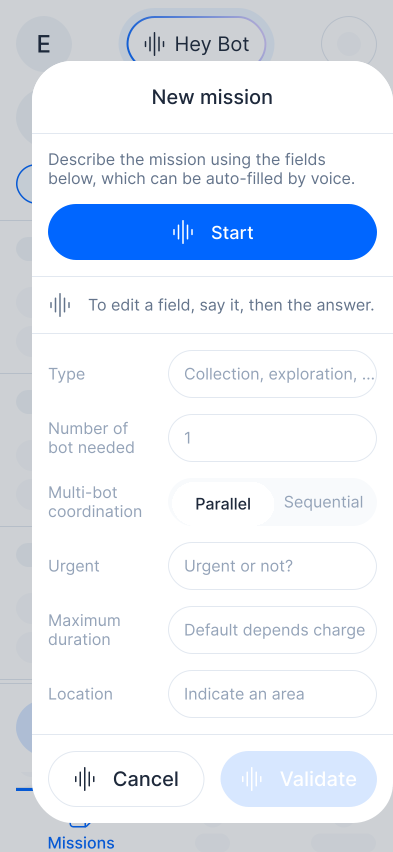
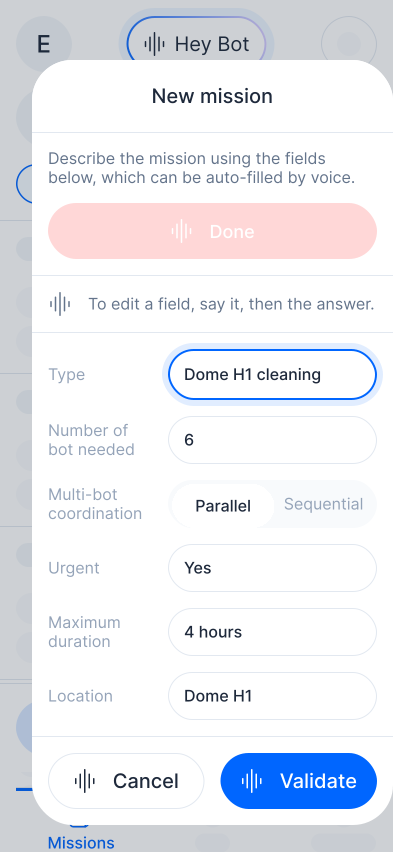
A new day begins on the Moon. During his walk, Elias spots clutter around the dome and creates a cleaning mission. Wearing his suit, he uses the voice assistant, saying “Start” to begin.
Once the mission is described, Elias says “Done.” The fields auto-fill from his description, he can adjust them if needed, and then validate the mission.
Device reference:  Iphone 16, 393x852 px
Credits      Images: google.com/maps/space/moon/    Icons: streamlinehq.com/icons/streamline-regular